
New build or renovation: what to plan now for a smart home
In short: In a home being built or fully renovated, the cheapest part of automation is the infrastructure that goes in before the walls are closed. Even if the automation comes later, plan for: KNX cable to every control point and sensor, 60 mm wall boxes, a separate cable from each blind motor to the board, extra space in the distribution board, Cat6A for the network, and conduits to the TV, roof and parking. Since 1/1/2024, new electrical installations in Greece are designed to ΕΛΟΤ 60364, and the EPBD brings obligations for EV charging.
The most common thing we hear in newly delivered homes: "if we had known, we would have run a cable". An existing home has options, such as wireless KNX, but nothing is as simple and cheap as a cable laid at the right moment. This checklist is for homeowners, architects and electricians who want to keep every option open.
The checklist at a glance
| What | Where | Why |
|---|---|---|
| KNX cable (green, 2x2x0.8) | Every push button, thermostat, sensor, touch panel | The backbone of the automation |
| 60 mm deep wall boxes | Every control point | Room for the bus coupler and cables |
| Separate cable per blind/awning motor | From each motor to the board | Control each blind on its own |
| Extra space in the board | Distribution board | KNX actuators, power supply, IP router |
| Cable to the ceiling | Living room, kitchen, corridors, bathrooms | Presence sensors |
| Cat6A | TV, office, ceiling for access points, cameras | Reliable network and PoE |
| Spare conduits | TV and speakers, roof, parking, garden | Future changes without chasing walls |
| Supply line or conduit for a charger | Parking space | EV charging |
1. The KNX cable
KNX automation runs on a data cable (bus) that reaches every control point, separate from the mains cables. What the KNX Association specifies:
- Cable type: the green KNX TP cable, e.g. J-Y(St)Y 2x2x0.8 or YCYM 2x2x0.8. Only the standard cable guarantees the maximum lengths and device counts. Red is positive, black negative. The second pair stays as a spare.
- Topology: line, tree or star, and combinations, are allowed. A closed loop (ring) is not.
- Lengths per line segment: up to 1,000 m in total, up to 350 m from the power supply to any device and up to 700 m between two devices.
- Devices: a 640 mA power supply runs about 64 devices. Newer TP256 devices allow more.
- Next to mains cables: sheathed mains cables and KNX cables may be installed next to each other. The KNX Association even recommends running them close together, so that large loops vulnerable to lightning surges do not form. Bare wire cores need at least 4 mm clearance, so junctions go in separate boxes or a box with a partition.
- Marking: cables are labelled KNX or BUS so they are not mixed up later.
In practice we run KNX cable to every point where control may be needed: next to every door, by the bed, in every room for a thermostat, to the ceiling for a presence sensor, and to the touch panel positions.
2. The distribution board
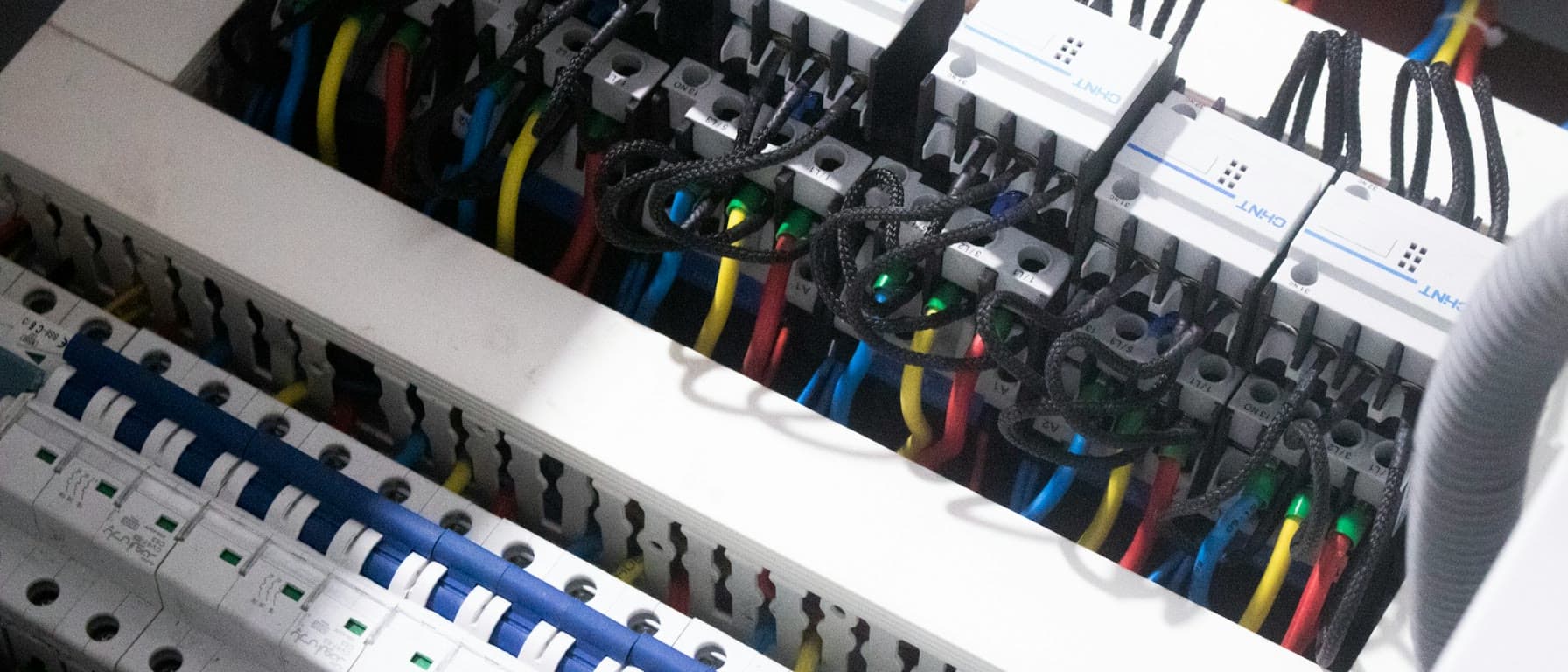
In a KNX home, the "logic" sits mostly in the board: actuators for lights, blinds and heating, the KNX power supply, an IP router and often an energy meter. Everything mounts on standard 35 mm DIN rail.
- Since 1/1/2024, new electrical installations in Greece follow ΕΛΟΤ 60364, which replaced ΕΛΟΤ HD 384 (Government Gazette 4654/B/2021).
- Room for the future: in Germany, DIN 18015 recommends 20% spare space in the board, and sets it as a minimum for installations with bus systems. Greece has no equivalent requirement, but we follow the same logic: the board is designed for the KNX devices with room for extensions.
- Heat: the KNX Association advises against placing bus devices directly above devices that run hot.
In larger homes there is often a separate automation board next to the main one, or one per floor.
3. Wall boxes and positions
- Box depth: the KNX Association gives 50 mm as an example. Gira recommends 60 mm, and that is what we use at every control point.
- Presence sensors: they go on the ceiling. The Theben LUXA 103 KNX, for example, is mounted at 2.5 to 3.5 m. Theben advises keeping more than 0.5 m from heaters and pipes, and avoiding pendant lights and ceiling fans in its field. For which type suits where, see our article on PIR and mmWave sensors.
- Thermostats and temperature sensors: at about 1.5 m, away from sun, external walls, radiators and draughts. A thermostat in the sun "thinks" the room is warm.
- Touch panel positions: usually at the entrance and in the kitchen, with KNX cable and, depending on the model, power or a network cable.
4. Blinds, awnings and windows
- One cable per motor, to the board. A typical 230 V motor needs a four-core cable: neutral, two phases for up and down, and earth. If each motor reaches the board separately, each blind is controlled on its own and shading automation can treat each facade differently.
- Awnings and external louvres: plan a cable for a weather station on the roof (wind, sun, rain) so awnings retract by themselves.
- Window contacts: a thin cable to each window frame lets the air conditioning switch off when a window opens and lets the alarm know. If it is not planned, there are wireless options such as KNX RF window handles.
5. Network: Cat6A and PoE
The home network is infrastructure, like electricity.
- Cat6A instead of Cat6: according to Intel, Cat6 carries 10 Gbps only up to 55 m, while Cat6A carries it over the full 100 m. The extra cable cost is small compared with the cost of pulling it again.
- PoE: access points and cameras are powered over the same network cable. The standards give 15.4 W (802.3af), 30 W (802.3at) and up to 100 W (802.3bt) per port. For 802.3bt, Cat6A is the minimum cable category according to Cisco Press.
- Where: on the ceiling for access points (one per floor or zone), at the TV, the office, the cameras and the entrance for the door intercom.
- Central point: a ventilated rack or cabinet where all cables end, with the router, PoE switch and UPS. See also our networking and cybersecurity service.
6. TV, speakers and home cinema
- A conduit from the TV to the equipment cabinet, wide enough for HDMI and network.
- HDBaseT: carries video, audio, network and control up to 100 m over one category cable, e.g. 4K over Cat6. Useful for projectors and TVs far from the equipment.
- Speaker cables in conduit, and a plasterboard lining if you are considering in-wall speakers. See our guide to in-wall vs on-wall speakers.
7. EV charging
The EPBD 2024/1275 (Article 14) sets the following for new residential buildings and major renovations with more than 3 parking spaces, where the car park is inside or next to the building:
- pre-cabling for at least 50% of spaces, sized so that all of them can charge at the same time,
- ducting for the rest,
- in new buildings, at least one recharging point.
The transposition deadline was 29 May 2026. More in our EPBD guide. A detached house has no obligation, but a conduit and an adequate line from the board to the parking spot cost very little during construction. With automation, the charger can later adjust its power based on the rest of the home's consumption.
8. Spare conduits
In our experience, empty conduits are the cheapest "insurance" in a build:
- To the roof: for antennas, a weather station and future rooftop systems.
- Between floors: for network and KNX, in case a second board is needed.
- To the garden: for lighting, irrigation and cameras.
- To the TV and speakers: as above.
What to ask your designer and installer
- A position plan for push buttons, sensors, thermostats, touch panels and access points, before the boxes go in.
- A board sized for KNX devices, with spare space.
- A separate cable per motor for blinds and awnings, to the board.
- Cat6A and a ventilated rack.
- Photos of the walls before plastering, so you know where the cables run.
- Early coordination between architect, electrician and automation installer.
How Sync-Teq helps
We work with architects and electricians from the design stage: position plan, cabling specifications, board sizing and, when the time comes, installation and programming of KNX automation. Contact us while the walls are still open.
Sources
- KNX Association: KNX TP1 Installation (cable, lengths, clearance from mains cables, wall boxes)
- Government Gazette 4654/B/2021: ΕΛΟΤ 60364 replacing ΕΛΟΤ HD 384
- ΕΕΤΕΜ: ΕΛΟΤ 60364 mandatory from 1/1/2024
- Hager: DIN 18015 and spare space in the board
- Gira: installation instructions, 60 mm deep box
- Theben: LUXA 103 KNX, mounting height
- Intel: Ethernet cable guide (Cat6 and Cat6A at 10 Gbps)
- Cisco Press: PoE and cable categories
- HDBaseT Alliance: HDBaseT technology
- EUR-Lex: Directive (EU) 2024/1275, Article 14
Frequently asked questions
What should I plan in a new build for a smart home, even if I do not install it now?+
The essentials: KNX cable to every control point, blind and sensor, 60 mm deep wall boxes, a separate cable from each blind motor to the distribution board, extra space in the board, Cat6A network cable to every point that needs a fixed connection, and empty conduits to the parking space, the roof and the TV. All of this costs little before plastering and a lot afterwards.
What cable does KNX use?+
The green KNX TP cable, typically J-Y(St)Y 2x2x0.8 or YCYM 2x2x0.8. According to the KNX Association, only the standard KNX cable guarantees the maximum lengths and device counts per line. The red wire is positive, the black negative.
Can KNX cable run next to mains cables?+
Yes. According to the KNX Association, sheathed mains cables and KNX cables may be installed next to each other. The 4 mm clearance applies only to bare wire cores, for example inside junction boxes, where a separate box or a partition is needed.
How deep should wall boxes be for KNX push buttons?+
The KNX Association gives 50 mm deep boxes as an example. Manufacturers such as Gira recommend 60 mm boxes, which leave room for the bus coupler, the cable and future changes. We prefer 60 mm at every control point.
What network cable should I install in a new home?+
Cat6A. Cat6 carries 10 Gbps only up to 55 metres, while Cat6A carries it over the full 100 metres. Cat6A also suits high-power PoE (802.3bt) for access points and cameras, and HDBaseT for video and audio.
Is EV charging pre-cabling required?+
For new residential buildings and major renovations with more than 3 parking spaces, the EPBD 2024/1275 requires pre-cabling for at least 50% of spaces and ducting for the rest, plus at least one recharging point in new buildings. A detached house has no such obligation, but a conduit and an adequate supply line to the parking spot cost little during construction.
Related Articles

Smart Home is not a Wi-Fi bulb — it's the system
Most people start with a Wi-Fi bulb. But that's usually remote control, not automation. A truly smart home is infrastructure: reliable, logical, scalable.
Read more →
5 Common Myths About Smart Homes Debunked
Is a smart home only for the tech-savvy? Too expensive? We separate fact from fiction and explore the reality of modern home automation.
Read more →