
Service details
Networking & Cybersecurity
A smart building is only as strong as its network. We design enterprise-grade wired and wireless infrastructure with VLANs, firewalls, and intrusion detection to keep your systems fast and secure.
- ✓Structured cabling & fiber optics
- ✓Wi-Fi 6/7 coverage planning
- ✓Firewall, VPN & threat monitoring
In short
SyncTeQ is a certified KNX Partner based in Chalandri, Athens, designing and building networks for smart homes, hotels and yachts across Attica and Greece: Cat6A and fibre structured cabling, Wi-Fi with proper coverage and roaming, VLAN segmentation, firewalls and secure remote access over VPN with no open ports. We install and support IP cameras with local NVR recording on their own network segment. The network is designed together with the KNX automation, audio and video systems, so everything runs reliably and securely, and the owner receives full documentation and credentials.
Why the network makes or breaks a smart home
When a smart home misbehaves, the automation is rarely to blame. Usually it is the network. Apps lag, cameras freeze, multiroom audio drifts out of sync, devices drop off and reappear. A weak network doesn't cause one big failure. It causes lots of small, random ones, and those are the most frustrating kind.
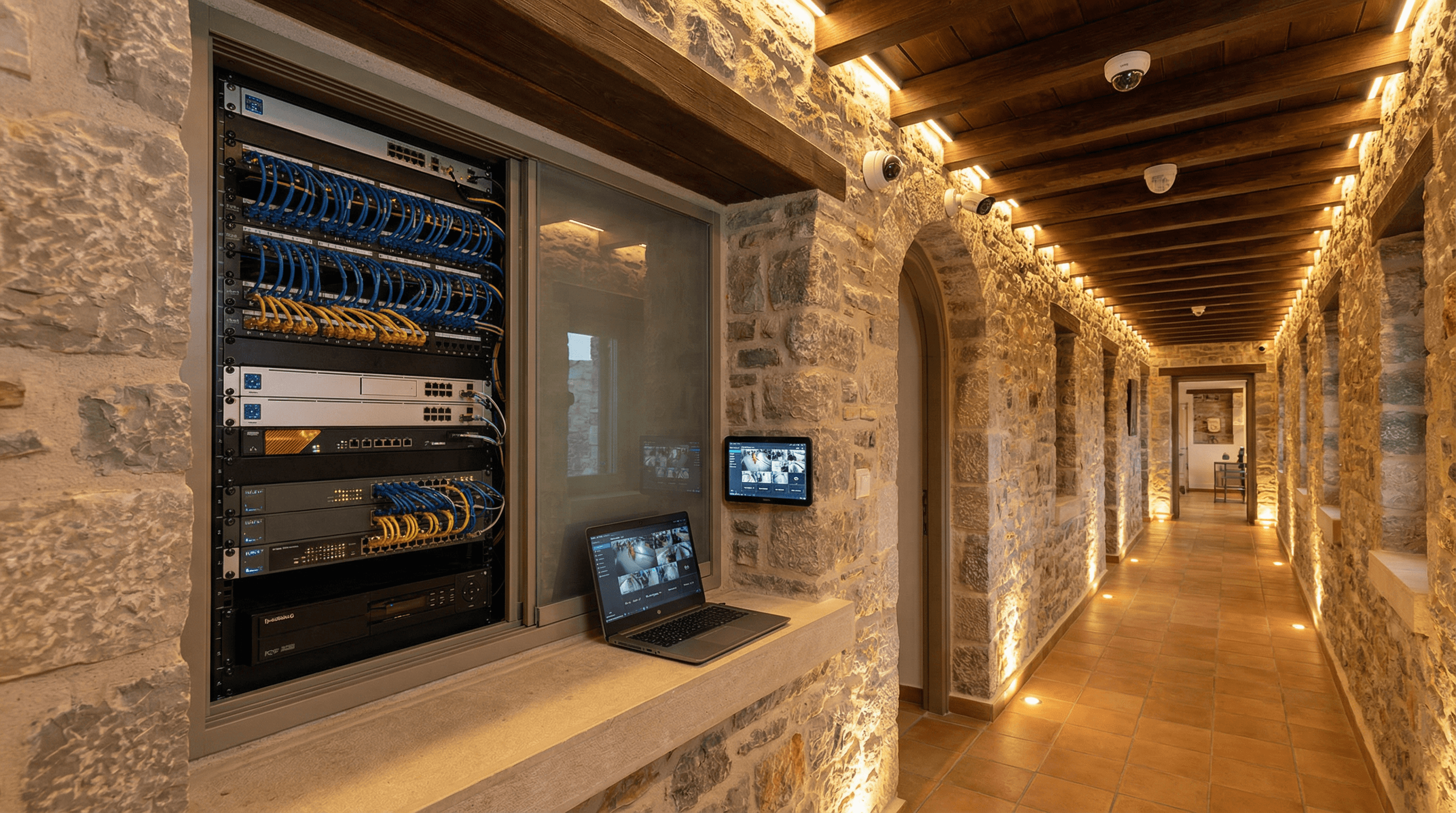
That is why we treat the network like the electrical board: as infrastructure. Anything fixed and bandwidth-hungry gets a cable, including access points, cameras, the NVR, TVs, amplifiers and controllers, and Wi-Fi is kept for the devices that move around. More in our home network guide.
What we design and install
| Component | What it covers |
|---|---|
| Structured cabling | Cat6A and fibre, rack, patch panels, labelling and documentation |
| Wi-Fi | Coverage planning, access points in the right places, roaming settings, a separate guest network |
| Segmentation | VLANs for KNX/IP, cameras, IoT, users and guests, with rules on who talks to whom |
| Firewall and VPN | Traffic rules and secure remote access with no open ports |
| IP cameras and NVR | PoE, local recording, disk sizing, remote viewing |
| Power resilience | UPS for the router, switches and NVR |
| KNX security | KNX Secure where supported, secure remote access for ETS |
One detail that is often overlooked: many discovery features, such as AirPlay, Chromecast and multiroom audio, rely on multicast and mDNS. VLANs need the right rules so the TV and speakers stay visible while everything else stays isolated.
Security cameras and NVR
A camera system isn't judged by megapixels. It is judged by whether it always records, whether you can find an event quickly and whether it is safe on the network. In our installations:
- cameras record locally to an NVR, so recording doesn't depend on the internet or a subscription
- they are powered by PoE from the switch, with a UPS covering the whole system
- they sit on their own VLAN: they talk only to the NVR and have no need to reach the internet
- we prefer ONVIF equipment, so cameras and recorder aren't locked to a single brand
- remote viewing runs over a VPN or a reputable service with two-factor authentication, never port forwarding
- technicians and third parties get separate accounts with only the rights they need, not shared passwords
Data protection (GDPR). Cameras at a home should cover only the private property, not the street or the neighbours. In hotels, shops and any space with staff or visitors, data protection rules apply: a visible notice before the field of view, limited retention, and access only for those who need it. We plan camera positions with this in mind. See also our guide to cameras, NVRs and VLANs.
Licensing. Security system installations are carried out under Greek law on private security service companies (Law 2518/1997 as amended), with an IEPYA licence where required.
Securing the KNX automation
The known attacks on KNX installations did not break the standard. They exploited a bad setup: port 3671 left open on the router for convenient remote access. In every installation we hand over, KNX is never exposed directly to the internet, remote access runs over an encrypted channel, and we enable KNX Secure where the devices support it. The full picture is in Is KNX secure?.
From 11 September 2026, under the Cyber Resilience Act, manufacturers must report actively exploited vulnerabilities within 24 hours. Security flaws will become public faster, which makes it more important who keeps your equipment updated after handover. More in our article on the Cyber Resilience Act.
How we work
- Survey. Spaces, users, devices, cameras and remote access needs.
- Specifications for the electrician. Cable routes, access point and camera positions, rack location and power.
- Configuration. VLANs, firewall, VPN, Wi-Fi, NVR and user accounts.
- On-site testing. Wi-Fi coverage measurements, recording tests and remote access checks.
- Handover. Drawings, labelling, credentials and documentation for the owner.
- Support. Firmware updates and changes on an hourly basis or under a monthly contract with a guaranteed response time.
What the cost depends on
- the size of the property, the number of floors and the building materials (concrete, stone, or metal on a yacht)
- the number of access points, cameras and network points
- NVR storage capacity and retention period
- whether it is new cabling or an upgrade of an existing network
After the survey you receive a detailed written quote.
Why SyncTeQ
- Certified KNX Partner based in Chalandri, working across Athens, Attica and the rest of Greece.
- Residences, hotels and yachts, where one network carries automation, cameras, audio and video together.
- Network and automation from the same partner, so there is no finger-pointing between contractors.
- Full documentation: drawings, credentials and the ETS project belong to you.
Frequently asked questions
Does a home really need VLANs?+
A smart home does. Cameras, IoT devices, guests and personal computers should not share one flat network. VLANs separate them logically and firewall rules decide who can talk to whom. That way a cheap Wi-Fi gadget with a security flaw cannot become a door into everything else, and camera traffic does not slow down the rest of the network.
How can I view my cameras from my phone safely?+
Through a VPN into the home network, or through a reputable manufacturer service with two-factor authentication, and never by opening a port on the router. Port forwarding for cameras is the most common mistake in CCTV installations, because it exposes the equipment directly to the internet.
How many days of footage does an NVR keep?+
It depends on the number of cameras, resolution, frame rate, codec (H.264 or H.265), whether recording is continuous or motion-triggered, and disk capacity. Retention is a design decision: we set it at the start and size the disks to match, so you don't find out after an incident that only two days were recorded.
How do I know whether my KNX system is exposed to the internet?+
The KNX Association offers the free KNX Security Check at secure.knx.org. Run it from your home connection and it checks whether port 3671 answers from the internet, without affecting the system. If it does, the port forwarding should be closed straight away and remote access moved to a VPN or an authorised gateway.
Do my cameras need a GDPR warning sign?+
If cameras cover public space or shared areas, or record staff, customers or guests, as in a hotel or shop, data protection rules apply and a clearly visible notice is needed before people enter the camera's field of view. At a private home, cameras should cover only your own property, not the street or the neighbours.
Will you take over a network or camera system someone else installed?+
Yes. We survey the existing equipment, check for open ports, outdated firmware and shared passwords, and recommend what is needed: segmentation, updates, secure remote access or replacing devices that are no longer supported. After that we can maintain it on an hourly basis or under a monthly contract.
Related guides
- Network: Why Without Proper LAN/Wi-Fi, All 'Smart' Things Become a Problem
- Security in Home/Business: Cameras, NVR, VLANs and Remote Access… Done Right
- Is KNX Secure? What the Attacks Taught Us and How to Protect a Smart Home in 2026
- Cyber Resilience Act: What Changes for Smart Device Security and What to Look for When Buying
- Local vs Cloud in Smart Home: What you risk when 'everything goes through a server'
- KNX vs Wi-Fi Smart Home: Why Choose Professional Automation
Plan your project with an integration-first approach
From initial consultation to long-term support, we engineer systems that work together from day one.
Contact Us