
Δίκτυο: γιατί χωρίς σωστό LAN/Wi-Fi, όλα τα “smart” γίνονται πρόβλημα
Το πιο συχνό “μυστικό” πίσω από smart home που δεν δουλεύει καλά δεν είναι ο αυτοματισμός. Είναι το δίκτυο. Αν το LAN/Wi-Fi είναι πρόχειρο, τότε όλα τα “έξυπνα” συμπτώματα μοιάζουν ίδια:
- «Άργησε να ανάψει»
- «Κόλλησε η εφαρμογή»
- «Χάθηκαν συσκευές»
- «Άλλοτε δουλεύει, άλλοτε όχι»
- «Οι κάμερες σπάνε / παγώνουν»
- «Το multiroom audio καθυστερεί»
Και επειδή το smart home είναι ένα σύνολο από συσκευές που μιλάνε μεταξύ τους, ένα αδύναμο δίκτυο δεν δημιουργεί ένα πρόβλημα. Δημιουργεί πολλά μικρά, τυχαία προβλήματα — τα πιο ενοχλητικά.
1) Το δίκτυο είναι υποδομή, όχι “Wi-Fi password”
Σε ένα σύγχρονο σπίτι ή έργο (βίλα, ξενοδοχείο, γραφεία), το δίκτυο είναι σαν τον ηλεκτρολογικό πίνακα: αν είναι σωστό, όλα δουλεύουν “αθόρυβα”. Αν είναι λάθος, τρέχεις για πάντα.
Πολλοί ξεκινούν από συσκευές (λάμπες, hubs, κάμερες, ηχεία) και στο τέλος ανακαλύπτουν ότι το router που “έδινε ο πάροχος” δεν είναι φτιαγμένο για:
- πολλές ταυτόχρονες συνδέσεις,
- σταθερό roaming,
- traffic από κάμερες,
- IoT multicast/broadcast,
- και συνεχές streaming (Netflix, Plex, multiroom).
2) LAN vs Wi-Fi: τι πρέπει να είναι ενσύρματο
Ο πιο απλός κανόνας που σώζει ζωές είναι: Ό,τι είναι σταθερό και “βαρύ”, το θέλεις με καλώδιο. Wi-Fi κράτα το για κινητές συσκευές και “edge” IoT.
Τι πρέπει ιδανικά να είναι ενσύρματο (LAN):
- NVR / κάμερες PoE
- Access Points (πάντα με καλώδιο)
- TV / Apple TV / media players
- κονσόλες / PC gaming
- NAS / servers / automation controllers
- AV racks / ενισχυτές με δικτύωση
Όσο περισσότερα περνάνε σε LAN, τόσο πιο “καθαρό” γίνεται το Wi-Fi και τόσο πιο αξιόπιστο γίνεται το σύνολο.
3) Το Wi-Fi δεν είναι “σήμα”: είναι χωρητικότητα + σχεδιασμός
Στα projects, το Wi-Fi αποτυγχάνει συνήθως όχι γιατί “δεν πιάνει”, αλλά γιατί:
- έχει παρεμβολές
- έχει λάθος τοποθέτηση AP
- έχει λάθος ρυθμίσεις roaming
- ή έχει υπερβολικά πολλά clients σε ένα μόνο AP/router
Γιατί τα πολλά “smart” πιέζουν το Wi-Fi IoT συσκευές συνήθως είναι 2.4GHz, κάνουν συχνά μικρά packets, αλλά είναι πάρα πολλές (clients) και πολλές φορές είναι “φτηνές” σε Wi-Fi υλοποίηση. Αν προσθέσεις και κάμερες Wi-Fi, έχεις το τέλειο recipe για αποσυνδέσεις, latency και buffering.
4) Roaming: το #1 θέμα σε πολυώροφα/μεγάλα σπίτια
Ένα σπίτι με πολλά AP δεν γίνεται καλό απλά επειδή “έχει κάλυψη”. Πρέπει η συσκευή να αλλάζει AP ομαλά όταν μετακινείσαι.
Όταν το roaming είναι κακό:
- οι κλήσεις σπάνε,
- τα IoT “κολλάνε” σε μακρινό AP,
- έχεις την αίσθηση ότι “άλλοτε είναι γρήγορο, άλλοτε όχι”.
Το σωστό Wi-Fi δεν είναι να βάλεις πολλά AP στο τέρμα. Είναι να βάλεις όσα χρειάζονται και να τα ρυθμίσεις σωστά.
5) VLANs: ο “κρυφός” λόγος που τα καλά σπίτια δεν χακάρονται εύκολα
Σε ένα σπίτι με IoT, cameras, guests, TVs, κ.λπ., το να είναι όλα στο ίδιο δίκτυο είναι σαν να βάζεις κάμερες, βοηθητικές συσκευές και επισκέπτες στο ίδιο “δωμάτιο” με τον υπολογιστή σου.
Τα VLANs επιτρέπουν:
- ασφάλεια (το IoT δεν βλέπει τα προσωπικά σου)
- σταθερότητα (το video traffic δεν πνίγει τα πάντα)
- έλεγχο (ποιος μιλάει με ποιον)
Στα smart homes, τα VLANs δεν είναι “enterprise υπερβολή”. Είναι βασική υγιεινή.
6) Multicast / mDNS: γιατί “δεν βρίσκω το ηχείο/TV”
Πολλές “έξυπνες” λειτουργίες ανακάλυψης (AirPlay, Chromecast, Sonos κ.λπ.) βασίζονται σε multicast/mDNS. Αν έχεις πολλά VLAN ή λάθος ρυθμίσεις, θα δεις συμπτώματα τύπου: “δεν εμφανίζεται η TV”, “χάθηκε το ηχείο”.
Άρα το σωστό design δεν είναι “βάζω VLAN και τέλος”. Είναι VLANs με σωστούς κανόνες ώστε οι υπηρεσίες που πρέπει να φαίνονται, να φαίνονται — και τα υπόλοιπα να μένουν απομονωμένα.
7) Reliability: UPS και “το σπίτι να μη πέφτει”
Ένα smart home που βασίζεται σε δίκτυο πρέπει να αντέχει μικρές διακοπές: ρεύμα που πέφτει στιγμιαία, router που κάνει restart, switch που κρεμάει.
Γι’ αυτό σε σοβαρές εγκαταστάσεις βλέπεις:
- UPS για modem/router/switch/NVR
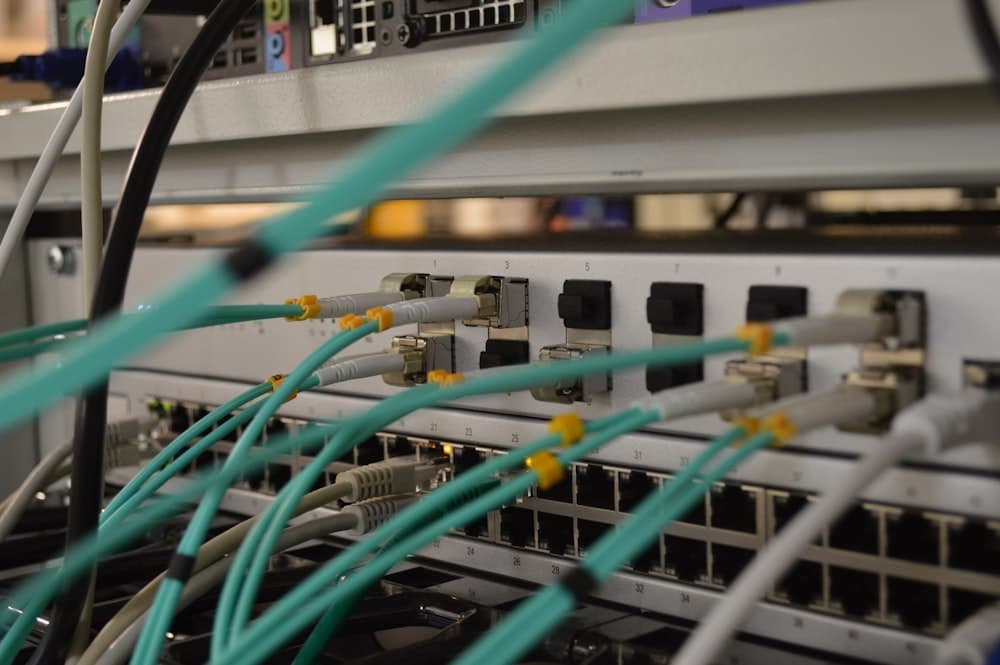
- σωστό rack & patching
- καθαρή δομή (labeling, documentation)
Δεν είναι υπερβολή. Είναι η διαφορά μεταξύ “δουλεύει πάντα” και “δουλεύει όταν θυμάται”.
8) Τι κερδίζεις όταν το δίκτυο είναι σωστό
Όταν το LAN/Wi-Fi είναι σωστά στημένο:
- οι αυτοματισμοί γίνονται άμεσοι,
- οι κάμερες γράφουν χωρίς σπασίματα,
- το multiroom audio συγχρονίζει,
- τα apps ανταποκρίνονται,
- οι βλάβες μειώνονται δραματικά,
- και κυρίως: σταματάς να “κυνηγάς φαντάσματα”.
Συμπέρασμα
Το δίκτυο είναι η ραχοκοκαλιά του σύγχρονου σπιτιού. Χωρίς σωστό LAN/Wi-Fi, το smart home δεν αποτυγχάνει θεαματικά — αποτυγχάνει με πολλά μικρά, τυχαία προβλήματα, που σε κάνουν να χάνεις εμπιστοσύνη στο σύστημα.
Σχετικά Άρθρα
Cyber Resilience Act: Τι αλλάζει στην ασφάλεια των smart συσκευών και τι να προσέχετε όταν αγοράζετε
Από τις 11 Σεπτεμβρίου 2026 οι κατασκευαστές IoT υποχρεούνται να αναφέρουν ευπάθειες εντός 24 ωρών. Η ΕΕ βάζει επιτέλους κανόνες στην ασφάλεια του έξυπνου σπιτιού. Δείτε τι σημαίνει για εσάς.
Διαβάστε περισσότερα →
10 πράγματα που δεν ξέρατε ότι μπορεί να κάνει ένα «έξυπνο σπίτι»
Ο κτιριακός αυτοματισμός δεν είναι μόνο app και gadgets. Δείτε 10 πρακτικές λειτουργίες που βελτιώνουν άνεση, ασφάλεια και ενεργειακή απόδοση στην καθημερινότητα.
Διαβάστε περισσότερα →